Navigating web pages
Angleščina · 9. razred
Welcome, Grade 9! Today we'll learn about navigating web pages, which means moving around and finding information on websites. This is a very important skill for the digital world.
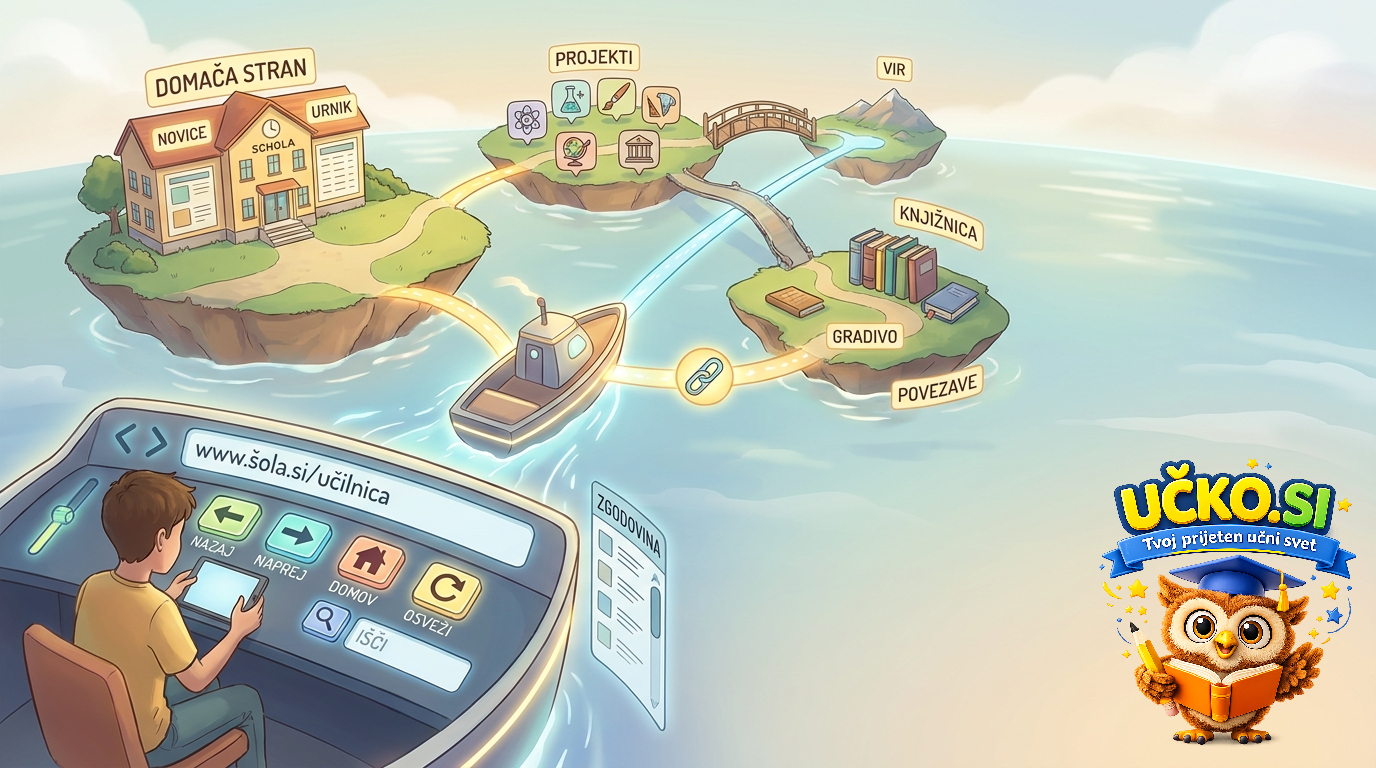
Ključni pojmi
- URL
- The unique address of a web page.
- Web Browser
- Software to access and view websites.
- Address Bar
- Where you type the URL.
- Link
- Text or image that takes you to another page when clicked.
- Navigation Bar
- Section with links to important parts of a site.
Understanding Websites and Pages
A website is like a book, a collection of related web pages, images, and videos. Each individual web page is a document on the internet with its own unique address, called a URL. We use a web browser like Chrome or Firefox to view these pages.
- A website is a collection of digital content.
- A web page is a single document with a unique URL.
- Web browsers help us access and view websites.
Essential Navigation Tools
The Address Bar is where you type a URL to visit a site, and the Home Page is usually the first page you see. Links, often blue and underlined, take you to other pages when clicked. The Navigation Bar helps you find important sections of a website.
- Use the Address Bar to enter URLs.
- The Home Page is a website's main page.
- Links connect different web pages.
Moving and Searching on Pages
A Search Bar lets you type keywords to find specific information. The Back Button takes you to the previous page, while the Forward Button moves you ahead again. If a page isn't loading right, the Refresh/Reload Button can help, and Tabs allow you to open many pages at once.
- The Search Bar finds information.
- Back and Forward buttons help you retrace your steps.
- Tabs allow multi-page browsing in one window.
Practical Web Skills
When navigating, you'll often 'click a link' or 'type into the address bar.' You might ask 'How do I get to the contact page?' or be told to 'scroll down' to find content. Remember to 'bookmark' pages you want to save, and 'hover your mouse' to see descriptions.
- Use 'click' and 'type' for actions.
- Knowing how to ask for and give directions is helpful.
- Bookmark pages for later and hover for details.
Zanimivosti
- A website is like a book with many chapters (pages).
- Links are often blue and underlined.
- You can have five tabs open for a research project.
Povzetek
Navigating web pages involves understanding what websites, URLs, and browsers are. Key tools include the address bar, links, and navigation menus. Practice using search bars, back/forward buttons, and tabs to become comfortable finding information online.
Pogosta vprašanja
Kaj se naučimo pri temi Navigating web pages?
Welcome, Grade 9! Today we'll learn about navigating web pages, which means moving around and finding information on websites. This is a very important skill for the digital world.
Kaj je url?
The unique address of a web page.
Kaj je web browser?
Software to access and view websites.
Kaj je address bar?
Where you type the URL.
Kako na kratko povzamemo temo Navigating web pages?
Navigating web pages involves understanding what websites, URLs, and browsers are. Key tools include the address bar, links, and navigation menus. Practice using search bars, back/forward buttons, and tabs to become comfortable finding information online.
Sorodne razlage – Angleščina, 9. razred
- Past continuous
- Past perfect
- Past simple
- Predicting what you will hear
- Present continuous
- Present perfect
- Present perfect and past simple
- Present perfect with for and since
- Present simple
- Present simple and present continuous
- Present tenses
- Present tenses with future meaning